No Code Automation Builder Pricing Guide: What Should You Pay?
You are comparing no-code automation tools and the pricing pages all look the same. Many platforms charge per feature, per automation run, or per contact, so your bill grows as your team does. By the end of this article, you will know exactly what Tasks.Bot charges, what its flat per-member fee includes, and how that compares to the hidden costs common in this category.
You will also see how Tasks.Bot handles WhatsApp task assignment, voice note creation, GPS tracking, and payroll-ready attendance, plus who should pay for it and who should look elsewhere. With that, you can decide whether its ₹200 per member per month or ₹1,200 per year plan fits your team.
What Is Tasks.Bot? The No-Code Automation Builder Behind the Pricing Question
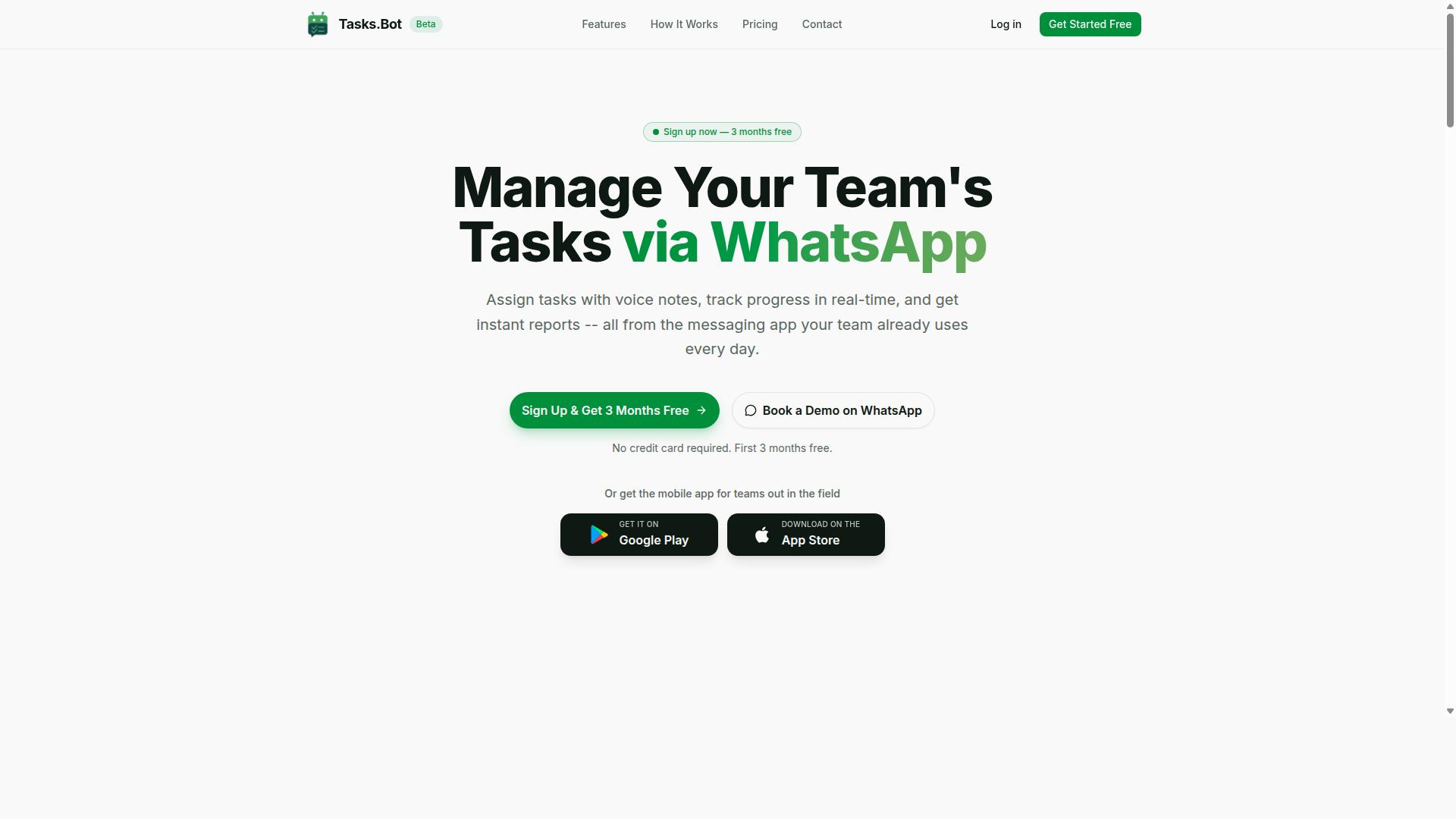
Tasks.Bot is a task management platform that operates entirely within WhatsApp, allowing teams to assign tasks, track progress, and receive reports without leaving the messaging app. It also offers a mobile app for field teams. Rather than asking users to learn a visual builder, a drag-and-drop interface, or a set of integration connectors, it turns the messaging app your team already has open all day into the place where work gets created and closed out.
That design choice matters for anyone reading a no code automation pricing guide. Most tools in this category, from Zapier and Make to n8n and Microsoft Power Automate, charge by the mechanics of automation: task counts, workflow execution limits, seat count, or workspace limits. Tasks.Bot sits in a different part of the landscape. Its automation is conversational, so the value a team gets is tied to people and tasks rather than to a metered number of several-step operations.
Tasks.Bot is currently in beta and offers a free trial period. That status is worth noting early in any pricing discussion, because beta and trial stages often shape how a pricing model is structured once a product leaves them. A freemium or free tier entry point, a subscription cost built around team size, or a flat-rate tier for a whole crew are all common paths, and the right one depends on how the tool is used day to day.
Because Tasks.Bot is used by people who may never open a dashboard, the usual per-seat math deserves a second look. A citizen developer building flows in a low-code tool is a different buyer from a field supervisor sending a voice note. Understanding that difference is the foundation for judging what a fair price actually looks like here.
Who Tasks.Bot Serves and How It Works Inside WhatsApp
Tasks.Bot is designed for teams that already use WhatsApp for communication, particularly those with field staff who need task management, attendance tracking, and payroll-ready hours. The site mentions hundreds of teams already using the service. If your operation runs on group chats, forwarded photos, and voice messages, you are the audience this platform was built around.
Inside WhatsApp, users can create tasks through natural language or voice notes. The platform then automates assignments, sets smart deadlines, and delivers instant reports. There is no separate dashboard to learn and no new workflow to memorize, which keeps the barrier to entry low for staff who are not comfortable with software.
Adoption is where this approach stands apart. Team members do not need to install a new app or create an account to take part, so onboarding a crew is a matter of adding them to the conversation rather than walking them through a setup wizard. The platform also offers a mobile app for field teams, which gives on-the-ground staff a dedicated option alongside the messaging experience.
For a pricing guide, that mix changes the calculus. A tool that requires every user to hold a paid seat looks expensive next to one where most of the team simply replies in a chat. Attendance tracking and payroll-ready hours also fold two separate line items into the same platform, which is a real cost consideration for anyone comparing a monthly billing figure against a stack of standalone apps.
Tasks.Bot is in beta with a free trial period available, so teams can test how the WhatsApp-first model fits their workflow before committing to a plan. For field-heavy operations, that trial is the clearest way to see whether conversational task creation and automated reporting replace tools you are already paying for.
What Should You Pay for a No-Code Automation Builder? The Tasks.Bot Answer
When evaluating no-code automation builders, pricing models vary widely-from per-user fees to usage-based tiers-but Tasks.Bot takes a straightforward approach with a flat, all-features-included plan.
Most automation platforms structure their pricing in one of three ways. Per-user pricing charges a set fee for every seat added to the workspace, which means costs climb as your team grows. Usage-based pricing bills according to task-based billing metrics, such as workflow execution limits or the number of automation runs per month. Feature-gated tiers lock advanced capabilities like API access, webhook triggers, or conditional logic behind higher-priced plans.
Each model creates budgeting challenges. Per-user pricing makes team collaboration expensive to scale. Usage-based pricing introduces unpredictable monthly billing when automation volume spikes. Feature gating forces teams to upgrade tiers just to unlock a single capability they need.
Tasks.Bot removes that complexity. The platform offers a single Full Access plan with all features included, priced per member. The monthly plan costs ₹200 per member per month. The annual plan costs ₹1,200 per year per member, which saves 50% and saves ₹1,200 per year per member compared to monthly billing.
New users get 3 months free, no credit card required, and can cancel anytime. Pricing is available in Indian Rupees (₹) and US Dollars ($), with a currency selector on the site so you can verify the right option for your region.
Why Tasks.Bot's Flat, All-Features-Included Pricing Changes the Math
Unlike many automation platforms that gate features behind higher tiers or charge extra for API access, Tasks.Bot includes every feature in its single plan.
That distinction matters more than it first appears. On many competing platforms, the base tier covers only basic automation, while integration connectors, advanced several-step operations, or API access require a jump to a premium plan. Those upgrades often cost significantly more per seat, and the gap between entry-level and full-featured pricing can be substantial.
Tasks.Bot eliminates feature gating entirely. Every capability the platform offers is available on the one plan:
- Voice note task creation
- AI automations
- Smart reminders
- Face-verified attendance
- GPS tracking
- Payroll-ready hours
There is no paywall separating a basic user from an advanced one. A citizen developer building a simple task list gets the same feature set as a team running complex several-step operations. That consistency removes the guesswork from choosing a plan.
For budgeting, the math becomes simple. You know the per-member cost upfront, and it does not change based on how many automations you run or which features you activate. Teams can scale headcount without triggering surprise expenses or renegotiating their subscription cost.
The 3-month free trial period, with no credit card required, also lets teams evaluate the full platform rather than a stripped-down version. What you test is what you keep. That transparency is the core of Tasks.Bot's pricing philosophy: one plan, every feature, predictable cost per member.
Pricing and Plans: Tasks.Bot's Full Access Breakdown
Tasks.Bot offers a single 'Full Access' plan with all features included, available in both Indian Rupees (₹) and US Dollars ($). That one plan covers everything the platform does, so you never have to compare feature lists across tiers or guess which level unlocks a capability you need.
This approach stands out in a market where many automation platforms split their offerings into a free tier, a mid-range plan, and one or more premium levels. With feature gating common across the industry, buyers often pay more just to unlock a single tool. Tasks.Bot removes that friction by putting every capability behind one price.
The pricing itself is simple to state:
- Monthly plan: ₹200 per member per month
- Annual plan: ₹1,200 per year per member
Because pricing is listed in both INR and USD, teams can pay in the currency that suits their accounting. The site shows a 'Select currency' option with Indian Rupee and US Dollar choices, so confirm your preferred currency during checkout.
Just as important, there are no additional tiers and no hidden fees. What you see is what you pay. That matters for any no code automation buyer who has been burned by surprise overage charges or add-on costs. For a citizen developer or a small team evaluating subscription cost, a flat-rate structure like this makes budgeting far more predictable than usage-based pricing or task-based billing that shifts month to month.
Monthly vs. Annual: ₹200/Member/Month or ₹1,200/Year (Save 50%)
Choosing between monthly and annual billing can significantly impact your overall cost, and Tasks.Bot makes the savings clear. The monthly route runs ₹200 per member per month. The annual route costs ₹1,200 per member per year, which works out to ₹100 per month and represents a 50% saving.
Put another way, an annual subscriber saves ₹1,200 per year for every member on the plan. For a team of five, that difference adds up quickly. The table below lays out the comparison.
| Billing Option | Cost | Effective Monthly Cost | Annual Saving |
|---|---|---|---|
| Monthly | ₹200 per member per month | ₹200 | None |
| Annual | ₹1,200 per member per year | ₹100 | ₹1,200 per member per year (50%) |
Both plans include all features. The only differences are billing frequency and cost, so there is no penalty for picking either one beyond the price you pay. Annual billing suits teams that have already decided to commit and want a fixed line item in their budget. Monthly billing suits those who want flexibility while they evaluate how the platform fits their workflow.
For a per-user pricing model, this is about as transparent as it gets. You know your seat count, you know the rate, and you can calculate your total before you commit.
Free Trial, 3 Months Free, and No Credit Card Required
Tasks.Bot offers a free trial that includes 3 months free and does not require a credit card to get started. That combination lowers the barrier for any team that wants to test an automation platform before spending money.
Three months is a generous window. It gives a team time to see how the platform performs in day-to-day use. There is no paywall during the trial period, so nothing is locked behind an upgrade prompt while you evaluate.
Because no credit card is needed, starting the trial carries no billing risk. You can cancel anytime, and the site also mentions a refund policy in its footer for paid plans.
One point worth noting: the service is currently in beta. Beta status can affect trial terms, so it is worth checking the current details on the site when you begin. Beta also often means the product is evolving quickly, which can work in your favor if you want early access to improvements.
For a citizen developer or a small team weighing subscription cost, this trial removes the guesswork. You get a full quarter to decide whether the Full Access plan earns a place in your budget, and you can walk away without a charge if it does not. If a demo would help first, the site offers a 'Book a Demo on WhatsApp' option to talk things through before you start.
What You Actually Get for the Price: Features That Replace Paid Tools
Tasks.Bot's Full Access plan includes a comprehensive set of features that can replace multiple paid tools, from task management to attendance tracking. That single per-member price is the core of its value proposition: instead of stacking separate subscriptions for a to-do app, an attendance system, a timesheet tracker, and a reporting tool, teams get all of it inside one platform.
This matters because subscription stacking is the hidden cost in most no code automation decisions. A per-user pricing model looks cheap until you add three or four add-ons, each with its own seat count and monthly billing. Tasks.Bot avoids that trap by bundling the capabilities most teams would otherwise buy separately.
- Task management delivered through WhatsApp, replacing a standalone task app
- Face-verified attendance, replacing a dedicated attendance or time-clock tool
- Shifts, leave, and hours management, replacing basic HR tracking software
- Instant reports, replacing a separate reporting or dashboard subscription
- Native WhatsApp integration, removing the need for a chat-to-task connector
- Android and iOS apps with push notifications, voice capture, and a home screen widget
For a citizen developer or operations lead comparing a no code automation platform on price alone, the better question is what the price removes from the stack. When one subscription absorbs several line items, the effective cost per feature drops sharply, and so does the admin burden of managing multiple renewals.
Voice Note Task Creation, AI Automations, and Smart Deadline Reminders
Tasks.Bot uses AI to understand natural language and voice notes, enabling task creation without typing. A user simply sends a voice note and the platform interprets the intent to create a task, which removes the manual data entry step that slows down most task management tools.
The same AI layer supports automatic task assignment, so work routes to the right person based on rules rather than manual sorting. Smart deadline reminders help keep timelines visible without someone chasing updates by hand. Approvals and automations round out the workflow, letting routine decisions move forward without a dedicated follow-up tool.
None of this requires writing code. There is no visual builder to learn, no drag-and-drop interface to configure, and no conditional logic to map out. The interaction happens where teams already communicate, which is the practical difference between this and a conventional no code automation platform that expects users to assemble workflows from scratch.
Consider what this replaces. A transcription service for voice notes, a reminder or follow-up app, and a task assignment tool could each carry their own subscription cost. Consolidating them into one AI-driven workflow reduces both spend and the number of apps a team has to check each day.
Face-Verified Attendance, GPS Tracking, and Payroll-Ready Hours
For teams with field staff, Tasks.Bot offers face-verified attendance and GPS tracking to ensure accurate time logs. Employees check in with a selfie, and the system verifies identity through AI rather than relying on a shared device or a paper sign-in sheet.
GPS tracking adds location verification, which is useful when staff work across multiple sites and a supervisor cannot physically confirm arrival. Together, these features feed into shifts, leave, and hours management, producing hours data that is ready for payroll instead of a stack of manual timesheets to reconcile.
This is where the pricing math gets interesting for operations teams. Dedicated attendance systems and basic payroll-hour trackers typically charge their own per-user fees. When face-verified attendance and hours management are already part of the plan, those subscriptions become redundant.
The live day tracker and tasks on a map extend the same idea, giving managers a real-time view without a separate monitoring tool. For a business weighing a flat-rate tier against a pile of niche apps, the bundled attendance and hours capability often covers the entire cost on its own. Tasks.Bot delivers these features through native WhatsApp integration plus Android and iOS apps, so adoption does not depend on training staff on unfamiliar software.
Hidden Costs to Watch For in No-Code Automation Pricing - and How Tasks.Bot Avoids Them
Many no-code automation platforms lure users with low entry prices but charge extra for essential features, API access, or exceeding usage limits. The advertised number on the pricing page is rarely the number that shows up on the invoice. That gap between the sticker price and the real subscription cost is where budgets quietly fall apart.
Understanding these traps before you commit to an annual plan can save your team significant money and frustration. Here are the most common hidden costs to watch for in any automation platform.
Feature Gating
Feature gating is one of the most widespread tactics in no-code pricing. A vendor advertises a cheap entry tier, then locks core capabilities behind higher plans. API access and webhook triggers are frequent casualties, appearing only on premium tiers even though they are basic building blocks of any serious workflow.
Conditional logic and several-step operations often sit behind the same paywall. A citizen developer on a low tier may build a simple automation, only to discover that branching logic requires an upgrade. This turns a flat-rate tier into a staircase where every new capability costs more.
The result is a pricing model that punishes teams for growing. What looked like an affordable automation platform becomes an escalating expense as your needs mature. Always check which features are available at each tier before comparing prices.
Usage-Based Pricing and Workflow Execution Limits
Usage-based pricing sounds fair in theory. You pay for what you use. In practice, workflow execution limits and task-based billing create unpredictable monthly costs that are hard to forecast.
A busy month can trigger overage charges you never budgeted for. Teams running high-volume automations often find their bill doubling or tripling without any change in their plan. This makes financial planning difficult, especially for small businesses operating on tight margins.
Some platforms count every individual step in a multi-step workflow as a separate execution. Others meter data transfer or cap the number of active workflows. Each of these meters becomes another line item on the invoice.
Seat Count Limits and Workspace Restrictions
Per-user pricing is standard across the industry, but the details matter. Some platforms charge for every team member who needs access, which penalizes collaboration. Others limit workspace access to a handful of users on lower tiers.
Seat count limits can be especially painful for teams that rotate members or bring in temporary contributors. You may end up paying for seats you rarely use, or restricting access to keep costs down. Neither outcome serves team collaboration.
Data transfer fees are another quiet addition. Moving information between integration connectors or exporting records can carry charges that never appear in the headline price. These fees are easy to miss until the first bill arrives.
How Tasks.Bot Avoids These Hidden Costs
Tasks.Bot takes a different approach. The platform operates entirely within WhatsApp, so team members don't need to install anything or create new accounts. That alone removes a category of per-seat friction that other tools build into their pricing.
Instead of gating features or metering usage, Tasks.Bot offers one flat price per member that includes all features. There are no usage limits, no API access fees, and no data transfer charges. What you see on the pricing page is what you pay.
This transparency extends to the trial. Tasks.Bot provides a 3-month free trial with no credit card required, so teams can evaluate the platform fully before committing. There is no pressure to upgrade mid-trial or unlock features with a payment.
The platform uses AI to understand natural language and voice notes for task creation, which means less time spent configuring workflows and more time getting work done. Face-verified attendance and live GPS tracking for field staff are included, not sold as add-ons.
Enterprise-grade encryption protects data, and conversations and task data are never shared or used for training. For teams tired of deciphering complex pricing tables, Tasks.Bot offers a straightforward alternative: one price, every feature, no surprises.
Who Should Pay for Tasks.Bot (and Who Shouldn't)
Tasks.Bot is ideal for teams that rely on WhatsApp for communication, especially those with field staff who need task management and attendance tracking. If that describes how your team already operates, the subscription cost is easy to justify because the tool fits into a workflow people already use every day.
Because the platform serves hundreds of teams, the strongest signal is fit rather than company size. The question is not whether no code automation is useful in general. It is whether your daily communication and your task tracking already live in the same place.
Below are the profiles that get the most value from a flat monthly or annual plan, and the profiles that may want to look elsewhere before committing budget.
Teams that should pay:
- WhatsApp-first teams. If conversations, instructions, and updates already happen in WhatsApp, adding a separate automation platform creates duplicate work. Tasks.Bot meets the team where it is.
- Field-based teams. Staff who work away from a desk need task management and attendance tracking that does not depend on logging into a desktop dashboard.
- Small to medium businesses. A predictable subscription cost is easier to absorb than the overhead of stitching together several tools with per-user pricing on top of each other.
- Teams that want an all-in-one tool. Combining task management, attendance tracking, and payroll-ready hours in one place reduces the number of seats, logins, and bills to manage.
- Payroll-focused operations. When tracked hours flow toward payroll preparation, the time saved on manual reconciliation can outweigh the monthly billing itself.
Who should think twice:
- Large enterprises with complex workflows. Organizations that need deep integrations across many legacy systems often require heavy API access and custom connectors that a focused tool may not target.
- Teams that do not use WhatsApp. The core value proposition rests on WhatsApp-based communication. Without it, much of the advantage disappears.
- Buyers needing advanced customization. If your requirements include elaborate several-step operations, conditional logic at scale, or a full low-code visual builder for internal apps, a general-purpose automation platform may fit better.
A practical test: list the tools your team pays for today, then mark which ones exist only because tasks, attendance, and hours are tracked in separate places. If two or more of those tools overlap with what Tasks.Bot covers, consolidation usually wins on both cost and admin time.
If your team lives in WhatsApp and manages people in the field, Tasks.Bot is a clear yes. If your operation depends on deep enterprise integrations or does not use WhatsApp at all, the honest answer is that your budget is better spent elsewhere.
Final Verdict: Is Tasks.Bot Worth the Price?
Tasks.Bot's flat, all-features-included pricing at ₹200 per member per month or ₹1,200 per year makes it a cost-effective solution for teams already using WhatsApp. Instead of charging extra for premium capabilities, the platform keeps every feature available to every subscriber.
That structure matters in a market where feature gating is common. Many no code automation tools place key functionality behind higher tiers, so the advertised entry price rarely reflects what a team actually pays. With Tasks.Bot, there is no paywall to climb.
Compare this to the broader landscape. Established platforms such as Zapier, Make, and n8n typically rely on usage-based pricing or task-based billing, where costs scale with workflow executions. Microsoft Power Automate and UiPath follow similar patterns in the low-code and automation space.
Those models can work well, but they make budgeting harder. A busy month with heavy automation volume can push a bill well beyond the base subscription cost. Tasks.Bot sidesteps that uncertainty entirely with its flat-rate tier.
The pricing also avoids the seat-count trap. Per-user pricing sounds simple until a team grows, and each new hire adds to the monthly total. Tasks.Bot charges per member at a fixed rate, so the math stays predictable as a workspace expands.
For teams weighing the decision, the value case rests on a few clear points:
- Flat pricing at ₹200 per member per month, with no tiered feature unlocks
- Annual option at ₹1,200 per year, which works out cheaper than twelve monthly payments
- All features included regardless of plan, so no capability sits behind a higher paywall
- A 3-month free trial, giving teams a full quarter to evaluate the platform before committing
The three-month trial period stands out. Most freemium or trial offers in this category run for two weeks or a month, which is often too short to judge how a visual builder handles real several-step operations.
A full quarter lets a citizen developer test conditional logic, integration connectors, and webhook triggers against genuine business processes. Teams can see whether the drag-and-drop interface fits their working style before any money changes hands.
For organizations already running operations on WhatsApp, the fit is especially strong. The platform meets teams where their conversations already happen, which reduces the adoption friction that often sinks new automation software. No lengthy onboarding, no forcing staff onto unfamiliar channels.
So is it worth the price? For small and mid-sized teams that want no code automation without unpredictable bills, the answer is yes. The combination of a low flat rate, complete feature access, and a generous trial removes most of the usual purchasing risk.
Larger enterprises with highly specialized compliance or governance requirements may still evaluate heavier low-code platforms. But for most teams, Tasks.Bot delivers strong value at a fraction of the complexity.
For more information or to book a demo, contact Tasks.Bot at +91 97143 42522 or hello@tasks.bot.
Frequently Asked Questions
How much does Tasks.Bot cost compared to other no-code automation builders?
Tasks.Bot keeps pricing simple with a single 'Full Access' plan that includes all features - no tiers to compare or features locked behind upgrades. It's priced at ₹200 per member per month, or ₹1,200 per year per member on the annual plan (a 50% saving), with pricing also available in US Dollars. Since every other tool structures its pricing differently, the fairest comparison is to look at what you'd pay per team member for the specific features you actually need.
Do I need to install new software or create accounts for my team to use Tasks.Bot?
No. Tasks.Bot operates entirely within WhatsApp, so your team members don't need to install anything or create new accounts - they simply work inside the messaging app they already use. There's also a mobile app available for field teams who need it. This makes adoption much faster than platforms that require every user to onboard onto a new system.
What features are included in the Tasks.Bot plan?
The 'Full Access' plan includes all features: voice note task creation, automatic task assignment, smart deadline reminders, approvals and automations, instant reports, tasks on a map, and live day tracking. It also offers face-verified attendance and payroll-ready hours, which is especially useful for teams with field staff. Because everything is bundled into one plan, you don't have to estimate add-on costs the way you might with tiered automation builders.
Is Tasks.Bot suitable for teams working outside India?
Yes. Tasks.Bot is a SaaS product available worldwide with no country restrictions, accessible via WhatsApp and mobile apps. Pricing is offered in both Indian Rupees (₹) and US Dollars ($), so international teams can pay in their preferred currency. The service is currently in beta, which is worth keeping in mind as you evaluate it.
How should I evaluate whether a no-code automation tool is worth the price?
Start by listing the tasks you want to automate and the number of people who will actually use the tool, since most pricing is per member. Then check whether the features you need are included in the base plan or require costly add-ons or higher tiers. Finally, weigh setup and training time - a tool your team already knows how to use, like Tasks.Bot running inside WhatsApp, can save significant hidden costs compared to platforms that demand lengthy onboarding.
How can I see Tasks.Bot in action before paying?
Tasks.Bot offers a 'Book a Demo on WhatsApp' option on its website, so you can see how task assignment, reminders, and reports work before committing. You can also reach the team at hello@tasks.bot or +91 97143 42522 with pricing or feature questions. The site mentions a refund policy in the footer, so it's worth reviewing that before you subscribe.